

If your application still requires passwords with a hash and capital letter, you are deliberately making things difficult for your users. Traditional authentication is a technical debt that costs you money with every failed registration. Switch to passkeys, a technology that combines bulletproof security with 2-second login using biometrics.
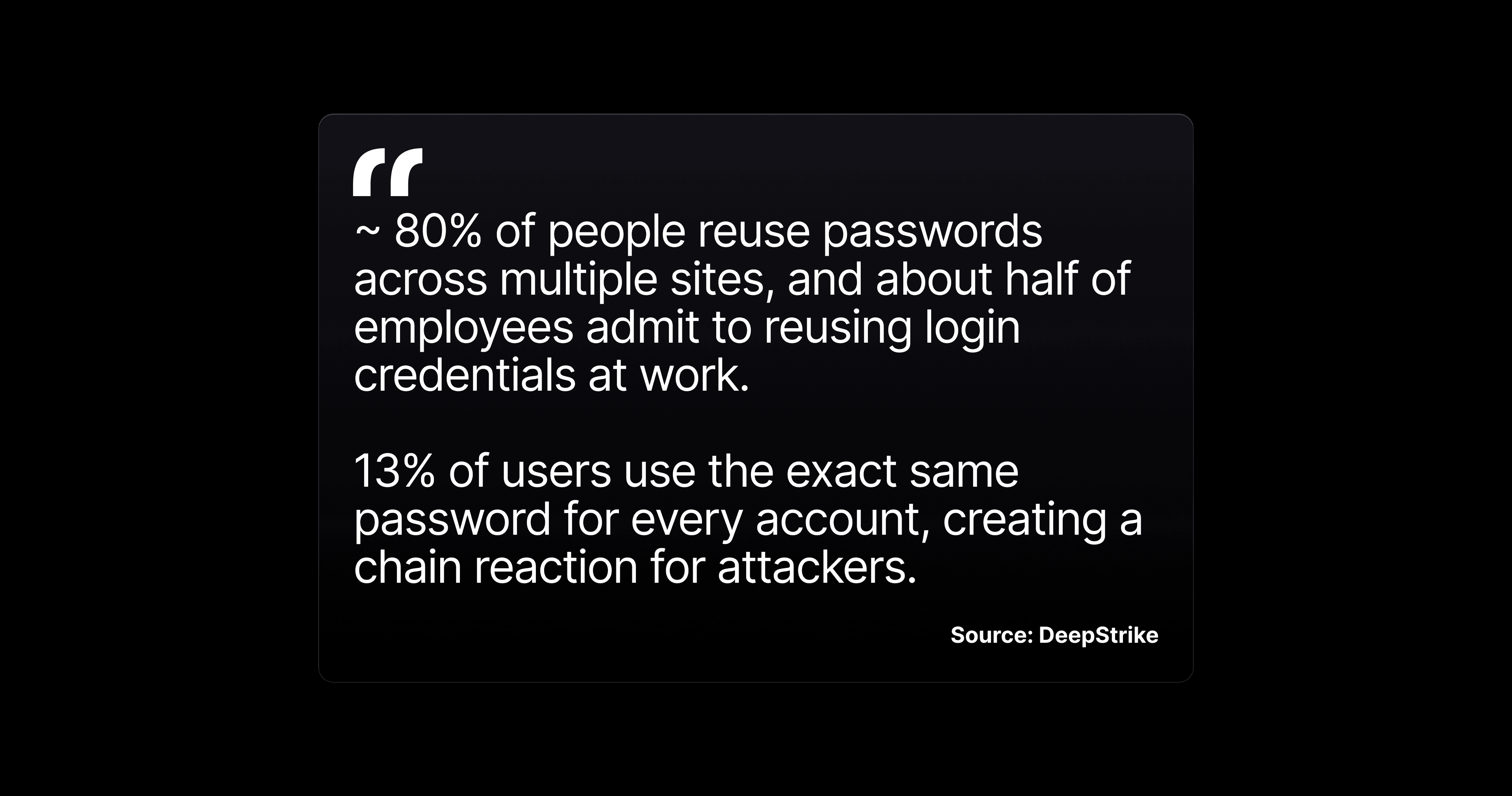
Paradoxically, passwords tend to be the weakest link in your product, even though they are supposed to protect users. Not because they are poorly implemented, but because they exist. According to the FIDO Alliance, 80% of data breaches start with a compromised password. According to Verizon DBIR 2024, phishing is still the "king" of attacks. And your users? They use the same password for 5+ services.
There is an elegant solution that addresses all of these issues. It is called passkeys, and Apple, Google, and Microsoft are jointly promoting it as the future of authentication.
What are passkeys
Passkeys replace passwords with biometrics. Instead of remembering and entering a password, the user simply:
- Confirms their identity via Face ID/Touch ID during registration
- The system creates a unique cryptographic key
- Clicks "Sign In" and verifies via Face ID/Touch ID
- Done. No password, no typing, no reset.
From the user's perspective: login takes 2 seconds and never fails.
Why should you care?
Passkeys are not just a "security feature." They have a positive impact on user experience, which affects metrics across the entire funnel. Passkeys enable fast biometric login (face, fingerprint) without passwords, which is 3x faster than a password and 8x faster than a password with MFA. They reduce frustration from forgotten passwords and MFA fatigue, leading to higher login success rates (98% vs. 32% for passwords). Users appreciate the simplicity on a single device.
📊 Business metrics that passkeys directly change:
- Registration drop-off: No more password fields, which are the biggest barrier to registration for many (especially if the user does not use a keychain with password generation)
- Login success rate: 100% success rate (biometrics either works or falls back to PIN)
- Password reset volume: Drops to zero (there is no password to forget)
- Support tickets (auth): Dramatic decrease in "I can't log in" tickets
- Account takeover incidents: Phishing is technically impossible (passkey only works on the correct domain)
- Time-to-first-value: Registration + login = one step via Face ID
What passkeys mean for your product's UX
Passkeys greatly simplify authentication screens. Here's a comparison:
| Current state (passwords) | With passkeys |
|---|---|
| Registration: email + password + password confirmation + password rules | Registration: email + Face ID |
| Login: email + password + possibly 2FA code | Login: tap "Log in" + Face ID |
| Forgotten password: email + link + new password + rules | Does not exist (nothing to forget) |
| Password change: old password + new password + confirmation | Does not exist (nothing to change) |
| Password strength indicator, visibility toggle, rules text | None of this is necessary |
💡 UX insight: Every field you remove from registration increases conversion. Passkeys remove all password-related fields at once.
Security without compromise (and without work for the user)
The traditional approach to security means more friction for the user: longer passwords, 2FA codes, security questions. Passkeys eliminate this trade-off.
Why passkeys are more secure than passwords + 2FA:
- Phishing-resistant: Passkeys are tied to a specific domain. A fake website cannot retrieve them.
- No shared secrets: Neither the password nor the code is sent to the server. Only a cryptographic signature.
- No credential stuffing: Even if an attacker obtains the database, they will not find passwords there (only public keys, which are worthless).
- Biometric protection: The private key is protected by Face ID / Touch ID and never leaves the device.
For your CISO/security team: Passkeys comply with the FIDO2/WebAuthn standard. They are recommended by NIST, ENISA, and BSI. If you have regulatory requirements for strong authentication (PSD2, NIS2), passkeys comply with them natively.
Cross-platform reality: where passkeys work today
Are you wondering if it works on Android? What about the web?
| Platform | Passkey support | Sync |
|---|---|---|
| iOS 16+ | Full support | iCloud Keychain (all Apple devices) |
| Android 14+ | Full support | Google Password Manager |
| macOS Ventura+ | Full support (Safari + Chrome) | iCloud Keychain |
| Windows 11+ | Full support (Chrome, Edge) | Windows Hello / cross-device |
| Cross-device login | QR code + Bluetooth proximity | Works between Apple ↔ Android ↔ Windows |
Passkeys are not an iOS-only feature. They are an industry standard supported by all major platforms.
Migration strategy: how to do it
The biggest mistake when implementing passkeys is trying to replace passwords overnight. The right approach is gradual migration.
🗺️ Recommended product roadmap:
Phase 1: Password Suggestion (basics)
- Implement Password AutoFill + Keychain integration
- The infrastructure (Associated Domains) is the same for passkeys
- Effort: days, not weeks
Phase 2: Passkeys as an alternative
- Add a "Sign in without a password" option
- Passwords work in parallel as a fallback
- The system will offer an upgrade to existing users
- Apple from WWDC 2025: automatic migration (the system itself will offer an upgrade from password to passkey)
Phase 3: Passkeys as the primary method
- New registration via passkeys by default
- Passwords only for legacy devices and edge cases
- Simplify authentication screens
How to measure success
Before deployment, record your baseline metrics. After deployment, monitor:
| Metric | What to measure | Expected impact |
|---|---|---|
| Passkey adoption rate | % of users who have activated passkey | Target: 30-50% in the first 6 months |
| Login success rate (passkey) | % of successful logins via passkey | ~99% (biometrics are reliable) |
| Password reset volume | Number of "Forgot password" requests/month | Decrease proportional to adoption rate |
| Auth support tickets | Tickets related to login | -40-60% at 50% adoption |
| Registration completion | % of completed registrations (passkey vs. password) | +15-30% higher completion for passkey flow |
| Account security incidents | Number of successful account takeover attacks | Close to zero for passkey accounts |
💡 Tip: Compare metrics between passkey and password users. This A/B comparison is the strongest argument for accelerating migration.
Who is already doing it
Today, it is no longer an experiment. Apple, Google, and Microsoft have made passkeys the default. Services such as Shopify and Kayak report a positive impact on login metrics.
Passwords won't disappear tomorrow. But every month that your app requires them as the only way to log in, you lose users at registration, generate unnecessary support tickets, and expose yourself to security risks that passkeys eliminate natively.
The question isn't whether to switch to passkeys. The question is when.